The FG Tax Return Process

Click each step for details.

FG will launch your tax process once we get the green light from YOU! Click below to let us know you are ready to start.

Not quite ready to file your taxes yet? Let us know and we can file an extension for you.

Get Started Now! I Need an Extension

  • FG will send an invitation via email to activate your ShareFile account (if you have an active account already, please make sure you have your login email and password). This is our secure client portal that you will use as your home base for all things tax!
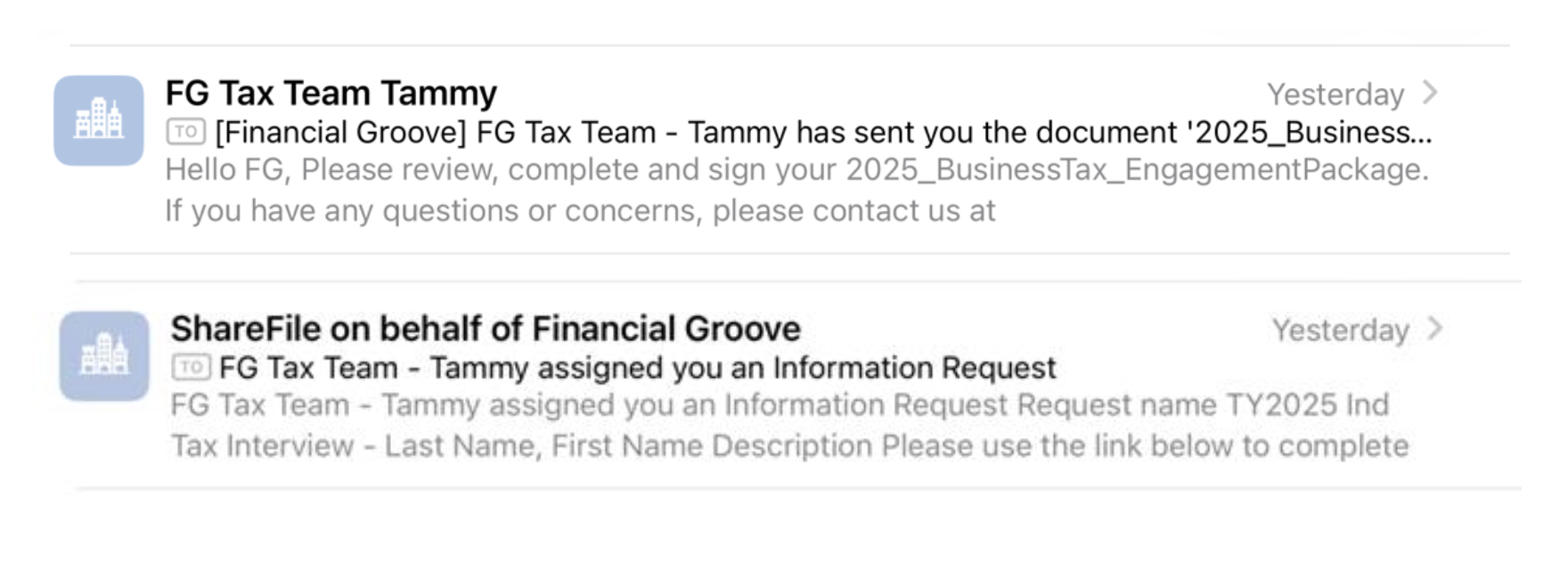
  • Once your account is activated, you will receive emails from “FG Tax Team” and “ShareFile on behalf of Financial Groove”. If prompted, your login subdomain is “Financialgroove”

Example emails from FG Tax Team and ShareFile

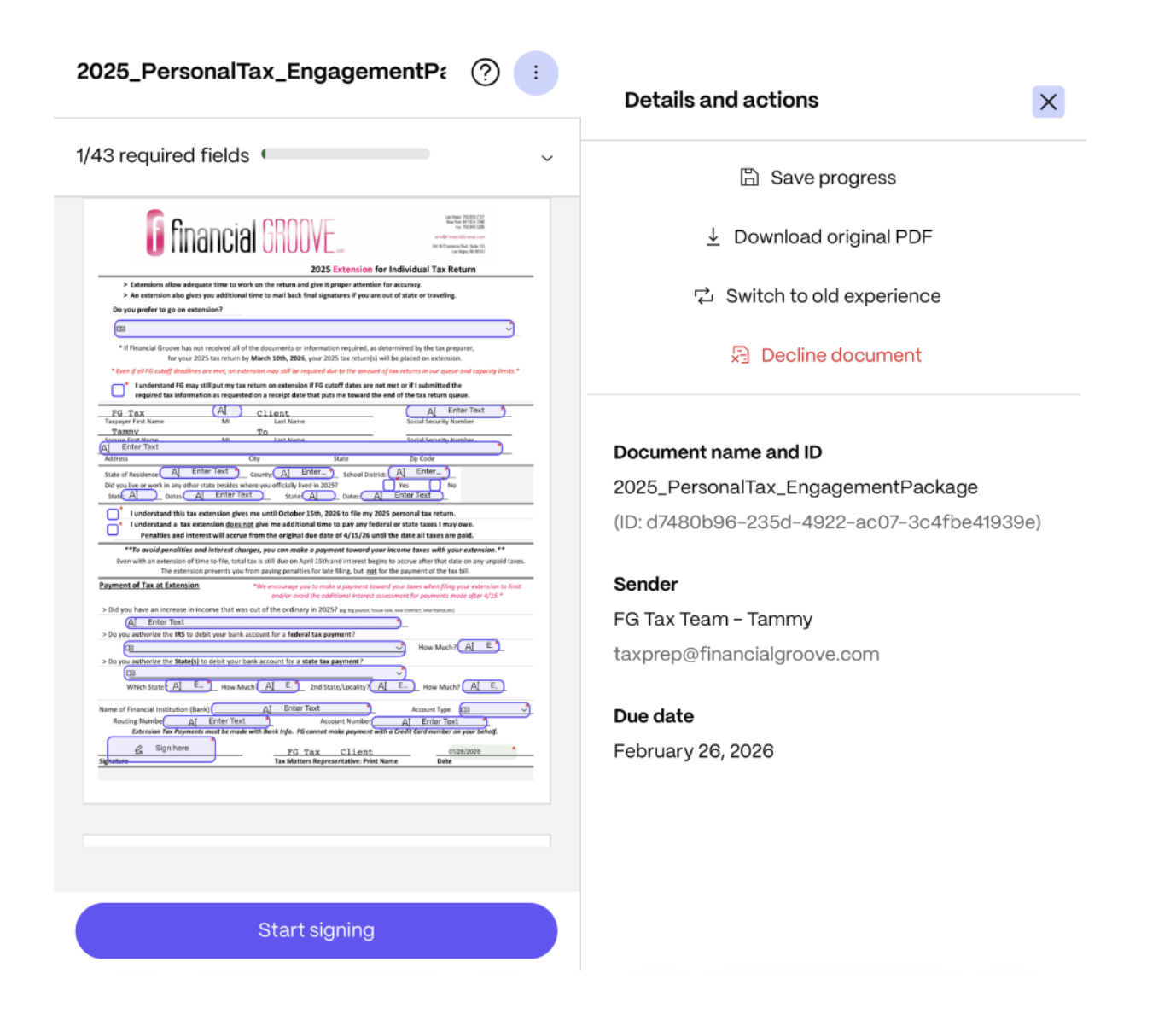
  • Part 1: Engagement Package – You will need to review our terms and conditions via the Engagement Letter and select some options related to your tax return filing. Review, complete, sign and submit your Engagement Package. If you need to pause while signing, please go to the menu options via the 3 dots in the top right corner of the signing page and select “Save progress”, then use the link in your email to return to your document. Estimated completion time 5-10 mins.

Engagement Package signing view

  • Part 2: Tax Interview – Complete this Tax Interview to the best of your ability. This is an interactive form that guides you through a series of questions that helps us to get to know you and your tax situation. If you are unsure of something, make a note in the Additional Notes section. If you need guidance to fill things out, give us a call at 702-966-0127 or schedule a call. Estimated completion time 25 – 45 mins.
  • While completing the Tax Interview, ShareFile will autosave a draft of your progress, so do not worry if you cannot complete the Tax Interview in one sitting. You can use the link in your email to go back to your tasks to finish up later, or you can access your open tasks by logging in to your ShareFile account and navigating to the Projects tab. We recommend selecting the “New client experience” for a more streamlined task view.

Interview (mobile)

Interview (desktop)

  • FG will review your responses to the Tax Interview questions. FG will identify all tax documents and other necessary items we need to prepare your tax return and maximize your result.
  • We will create a personalized Document Request list within 5-7 business days that will be sent to you via ShareFile with a direct upload link. You will use the ShareFile platform to scan or upload your documents securely.

ShareFile document request email

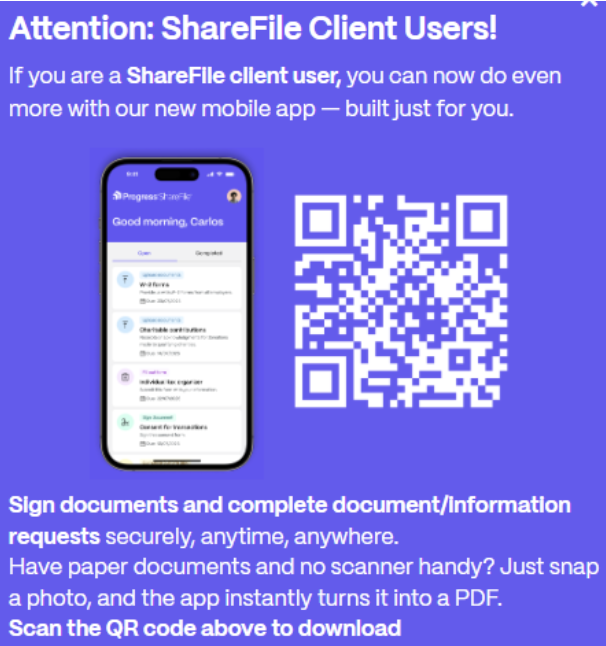
  • For convenient mobile uploads, download the ShareFile for Clients app available for iPhone or Android. We recommend using the Scan function for the best quality uploads of your paper documents. For documents saved to your phone or cloud storage, you can use the File or from Photo Library options.

ShareFile for Clients app

SF for Clients App

  • For uploads via a desktop, follow the link in your email or go to the Financial Groove ShareFile login page. Once logged in with your email and password, you will be able to browse and upload your documents, as well as make comments for your requests. (e.g. an item does not apply this year)

Uploads (desktop)

  • For Mileage and Travel and Tour Worksheets, these are provided to you in fillable pdf formats. Please follow the link within your document request list and download the attached blank worksheet. Fill in your information into the pdf, and re-upload the completed pdf and submit.
  • Once you have uploaded and submitted your documents, the status for the item will be changed to “In Review”. While your tasks are in review status, you can upload additional files if needed.
  • You may also need to complete Information Requests related to special income sources, tax write-offs, deductions and/or credits that you may be eligible for. These requests will be sent to your email via ShareFile. Follow the link within your email to complete these interactive questionnaires and/or upload related documents.

ShareFile Information Request email

  • Need help? You can Schedule an Initial Tax Call for help on your documents and initial questions, before your taxes reach your tax preparer.
  • Want to keep your tax preparation fees lower? Make sure everything is complete and organized on initial submission. Fees are based on complexity, number of forms, and time required. Keep in mind multiple uploads, questions, and follow-ups add up quickly in time!

  • FG will review your documents and will mark your items “Approved” once our team has viewed and confirmed receipt of your uploads. If an item is blurry or incorrect, FG will send you a notification explaining what is needed and reopen your item back for you to upload again. You can view any open tasks within your ShareFile project.

ShareFile document status notification

  • On your desktop or web browser, you can login to your ShareFile account and toggle between the “New client experience” and “Classic” views to track the status of your return. The “Classic” view provides a more global view of the project including all open and completed requests, comments and updates.

Review (desktop)

  • FG will notify you if there are additional missing items after their review.
  • When FG has verified receipt of all requested information, your return is now placed in our client queue. It will be worked on in order of receipt.

  • If you opted in to this additional service, FG will go through your bank and credit card statements in detail to find and calculate your business write-offs. We don't need all of your receipts: Only the cash receipts and your statements.
  • This takes additional time to go through a year worth of transactions and get everything added up. We leave no stone unturned. We will make sure you don't miss anything!

  • FG will enter tax return & verify information: This is where the tax laws and strategies get applied, and we dig into the deeper high-level questions and opportunities for your taxes.
  • Your Tax Preparer will reach out with questions through email or phone as needed and can advise accordingly.

  • FG will give your return extra attention with a fine-tooth comb, seeking out opportunities for tax savings and potential flags to protect you from audit. The final magic happens here!

  • You will receive an email with results and insights to sign your tax return and make final payment as needed.
  • You can schedule a Final Tax Call with Jessica Scheitler to discuss.

Fill out this form to send us a question or comment


Las Vegas 702.966.0127
New York 917.604.7798
Fax 702.966.0289
customerservice@financialgroove.com

Schedule an Initial Tax Call